Internal app · Operations
Customer lookup
A search box over one table, for the people who should not have a SQL client.
Works with your database

@skopxskopx.com
Internal app · Operations
A search box over one table, for the people who should not have a SQL client.
Works with your database
Internal app · Operations
Pending requests with an Approve button on every row that posts to Slack.
Works with your database and Slack
Internal app · Finance
Captured payments, average payment size, and the payment timeline from Stripe.
Works with Stripe
Internal app · Operations
Open tickets with a status filter, plus daily volume for the last 30 days.
Works with your database
Internal app · Sales
Open deals, value by stage, and the numbers you read out in the Monday meeting.
Works with Salesforce
When did you last trust an AI number, and how did you check it? It is a fair question, and most people answer it honestly: they trusted it because it looked confident, or they didn't trust it and spent twenty minutes rebuilding the figure by hand. Neither habit scales. Skopx calls its AI assistant SI, and our position is simple. If the sources come with the answer, checking takes ten seconds. If they don't, you are being asked to take the number on faith. Why a Bare Number Is Hard to Use An AI system can produce a figure that is correct, slightly off, or wrong in a way that reads just as smoothly. The sentence "Revenue from returning customers rose 14 percent last quarter" gives you no way to tell which of those three it is. You can't see what period it covers, which records it summed, or whether it excluded refunds. So you either accept the number or you go find the source yourself, which is the work the assistant was supposed to save you. The problem isn't that the model is always wrong. The problem is that a number without provenance can't be audited quickly, and anything you can't audit quickly you end up either over-trusting or ignoring. What a Checkable Answer Looks Like In Skopx, an answer that involves your data is supposed to arrive with its basis attached. That means the tables or records it read, the filter it applied, and the date range. When you see the figure, you can click through to the rows behind it and confirm that the right customers and the right month were counted. The check is not a second analysis. It is a look at the same evidence the answer was built from. Here is a practical routine that takes about ten seconds: - Read the time range first. Most disagreements about a number come from a different period than the one you assumed. - Open the sources and scan the row count. If the answer says it used 312 orders and you expected several thousand, you have caught a filter problem before it reached a report. - Check one row you already know. Pick a customer or transaction you remember and confirm it appears where it should. If all three line up, you can use the number. If one doesn't, you have a specific question to ask rather than a vague sense of doubt. Making Trust a Habit Checking should not depend on memory or discipline alone. This is why Skopx lets you rate an answer, and the rating is kept with the workflow behind it, so a question that was answered well once can be answered the same way next time. Over weeks, you stop re-verifying the things that have proven reliable and focus your attention on the outputs that still need a second look. That is the real goal. Not a world where you never check, and not one where you check everything, but one where the effort matches the risk. A number that feeds a board deck deserves the ten seconds. A rough sense of which product is trending can go with a glance at the sources. The Standard We Hold Ourselves To We would rather show you less confidently than show you more and hope you don't look. An answer that cites its rows and its date range invites exactly the scrutiny it should receive. An answer that hides them asks you to trust a black box, and a black box is a poor thing to bet a quarter on. So the next time an AI hands you a number, ask the question at the top of this piece. If you can't answer how you checked it, the problem isn't your diligence. It's that the answer didn't give you what you needed to check it. Ten seconds is enough when the sources are there. Make sure they are.
test test test
Tuesday morning, a finance lead scans the open list and finds one invoice that is 60 days old. The deal closed in the CRM weeks ago. The contract is signed. The billing system has no record of the work being scheduled, and the sales rep who closed the deal has already moved on to the next account. Nobody did anything wrong in the narrow sense. Nobody owned the handoff. This is one of the most common failures in revenue operations, and it rarely shows up in a dashboard. Each system holds its piece of the truth. The CRM knows the deal is won. The billing tool knows what has been invoiced. The project tracker, if there is one, knows what has been delivered. But the question that matters, which is whether the customer has been charged for what they agreed to, lives in the gap between them, and no single tool is responsible for that gap. Why the handoff breaks Handoffs fail for ordinary reasons. The closing rep marks the deal as won and assumes the billing team sees the notification. The billing team sees a notification, but it lacks the payment terms, the start date, or the purchase order number they need, so they wait for someone to send it. The person who could supply those details is busy with another deal. Meanwhile the invoice that should have gone out in week one is still sitting in a draft state, or was never created at all. The problem compounds because the information is spread across tools that were never designed to talk to each other in real time. Someone has to notice the mismatch. Usually that someone is a person who happens to look at two screens at once, which is not a process. What a real owner looks like The fix is not more meetings. It is assigning a clear owner to each step and making the state of that step visible to everyone who depends on it. A useful test: for any closed deal, can you point to the person responsible for the first invoice, and can you see from one place whether it has gone out? If the answer requires opening three tools and asking in a chat thread, the handoff is not owned. Practically, this means a few things. The won-deal event should trigger a check, not just a notification. The check should confirm that the required billing fields exist before the deal is marked ready. And there should be a report of deals that have been won for more than a set number of days without a corresponding invoice, reviewed on a fixed schedule by someone whose job includes it. Where AI helps, and where it should wait An AI assistant is useful here because the check is repetitive and the pattern is clear. It can compare won deals against invoices, flag the ones with no match, and draft the note that goes to the rep asking for the missing payment terms. The value is not that the assistant is clever. It is that the assistant does not get distracted on a Tuesday. But the assistant should not send that note on its own the first time it runs. The sensible path is to let it propose the flag and the draft, look at what it surfaces for a few cycles, and then decide which kinds of flags it can act on without asking. Trust is earned by watching the output, and the finance lead should be the one who decides when a category of action is safe to automate. The small habit that prevents the 60-day invoice The invoice that is 60 days old is not usually a dramatic failure. It is a missing line in a weekly routine. Teams that catch these early tend to do one thing consistently: they treat the handoff from sales to billing as a named task with a named person, and they review the list of unbilled wins every week, even when the list is short. The review takes ten minutes. It prevents the situation where the first person to notice the gap is a customer asking why they have not been charged, or worse, an auditor. If you take one thing from this, make it the question: for every deal closed this month, who is responsible for the first invoice, and how would you know if it had not gone out? If you cannot answer both parts in under a minute, you have found the gap. Close it with an owner, a check, and a standing review, and the 60-day invoice becomes a rare exception instead of a regular Tuesday surprise.

Log in, export, paste into an email, repeat every Monday. Or say it once: "Every Monday, pull my traffic and email me a summary." Try writing yours as one sentence.

The safest AI at work is the one allowed to do less than it could. That sounds backward in a market that rewards tools for doing more, faster, with fewer clicks. But anyone who has watched an automated system send the wrong message to the wrong customer, or quietly change a record nobody meant to touch, knows that capability without permission is where trouble starts. This article is about how to bring AI into daily work in a way that keeps you in control, and why the sequence matters as much as the tool. Why Restraint Is a Feature Most people's first experience with an AI assistant is a blank box and a promise. You type a request, the model produces something plausible, and you have to decide whether to trust it. The trouble is that plausible and correct are not the same thing. A draft reply can sound confident while misreading the customer's actual problem. A summary can omit the one line that mattered. When an assistant acts before you have checked its work, every error travels further than it should. The cost is not only the mistake itself but the time spent discovering it, undoing it, and explaining it. Restraint limits that blast radius. Restraint also builds the evidence you need. You cannot judge whether an assistant is reliable on a task until you have watched it perform that task several times with your review in the loop. Skipping that stage means you are trusting on faith. Start With Drafts That Wait for Your Yes The practical starting point is simple: let the assistant prepare the work, and let a person release it. In a support queue, the assistant reads the thread, summarizes what the customer needs, and writes a proposed reply. The reply sits in the thread until someone reads it, edits it if needed, and sends it. This pattern does three useful things. It saves the time of composition, which is often the slow part. It keeps a human accountable for what leaves the building. And it generates a record: every time you edit a draft, you learn where the assistant's judgment differs from yours, which tells you what to teach it or what to keep watching. The same approach works for reports, status updates, data changes, and internal notes. Anything that goes outward or changes something permanent should pass through a checkpoint before it takes effect. Hand Over One Task at a Time Once drafts are consistently useful, the next step is to delegate a single, well-bounded task. Not "manage my inbox," but "each morning, check whether any renewal has gone quiet for two weeks and list those accounts." The narrower the task, the easier it is to define what success looks like and to notice when the result is off. Good first candidates share a few traits. They repeat often enough to be worth automating. Their inputs are clear. Their outputs can be checked quickly. A mistake is cheap to catch and cheap to fix. Recurring checks, routine lookups, and first-pass categorization tend to fit this description far better than judgment calls with high stakes. Write the instruction as plainly as you would brief a new colleague. State what to look at, what counts as a result worth surfacing, and what to do with it. Then review the first several outputs closely before you stop checking. Expand Only When the Record Supports It The way to move from supervised to autonomous work is to let the track record decide, not the enthusiasm of the moment. If an assistant's proposed actions have been accepted without edits across dozens of cases, you have grounds to loosen the checkpoint for that specific task. If its drafts keep needing the same correction, the answer is to fix the instruction or keep the review in place. Autonomy should also be reversible. Know how to pause a recurring task, how to see what it did, and how to undo a change. An assistant you can stop and audit is one you can afford to trust a little more over time. The Quiet Advantage Teams that adopt AI this way tend to get something less dramatic than the headlines promise but more durable: fewer surprises. The assistant handles the repetitive preparation, people keep the decisions that carry consequences, and the boundary between them is written down and revisited. Nobody has to wonder what the system did last Tuesday while they were away. Doing less than it could, at first, is how an assistant earns the right to do more. Begin with a draft that waits for your approval. Give it one task. Watch what happens. Let the record, not the pitch, tell you when to hand over the next one.

You can judge a morning briefing faster than you can finish your coffee. Open it, read the first few lines, and ask four questions. Does it tell you what changed overnight? Does it show what is slipping? Does it name what needs a decision today? And does every number come with a link to where it came from? If the answer to all four is yes, the briefing is doing its job. If any answer is no, the briefing is a metric dump, and you will spend your morning doing the work it should have done for you. The test is worth taking seriously because most briefings fail it in the same way. They are built to show data rather than to answer the question a manager actually has at 8:15 on a Tuesday, which is some version of "what do I need to deal with?" A page full of counts, averages, and percentages is accurate and still useless, because nothing on it tells you which number matters or what moved since yesterday. What changed overnight The most valuable line in any briefing is the one that describes a difference. Yesterday's support backlog was forty tickets; today it is fifty-six. A supplier's on-time rate dropped from ninety-four percent to eighty-one over the weekend. A renewal that was scheduled to close on Friday has no activity logged since the previous Monday. These are changes, and a good briefing leads with them, because change is what a person needs to act on. A static total tells you where things stand. A change tells you where they are going. Notice that each change in that example is specific. It names the thing, gives the before and after, and implies a next step. A briefing that says "support metrics updated" has told you nothing, however many charts sit beneath it. What is slipping Slippage is the quiet category, and it is the one most dashboards miss. Nothing turned red. No alarm fired. But a commitment that was on track two weeks ago is now drifting, and no single day looked dramatic enough to flag. A useful briefing surfaces these by comparing against a baseline the reader cares about: the target, the prior week, the agreed date. When you can see that something has been trending the wrong way for five days, you can intervene while it is still cheap to fix. What needs a decision today A briefing earns its place by narrowing your attention. Of the dozen things that changed or slipped, which ones require you specifically, and which require a decision by a particular time? The strongest briefings separate information from action. They tell you what to read and also tell you what is waiting on your yes or no, so that you are not forced to reconstruct the to-do list from the data yourself. This is where AI can help, provided it is pointed at the right job. A model that can scan overnight activity across your connected tools, pick out the items that crossed a threshold or stalled past a deadline, and draft the decision as a single clear question is doing real work. A model that simply restates the metrics in longer sentences is not. Every number needs a source The last test is the one that builds trust. If a figure appears in the briefing, you should be able to click through to where it came from: the CRM record, the ticket queue, the payment processor. Without that link, you have to decide whether to believe the number, and a reader who cannot check a figure will eventually stop believing any of them. Sourcing every number also keeps the briefing honest about its own gaps. When a source is missing or stale, the link makes that visible instead of letting a confident-looking figure hide the problem. Why a minute is the right standard Setting the bar at one minute is deliberate. If a briefing takes longer to read than the decisions it supports, it has become a second job. The goal is not to give you more information. It is to give you the right information in the right order, with enough context to act and enough sourcing to trust what you act on. Hold any briefing, human-written or machine-generated, to that standard, and the difference between a useful one and a metric dump becomes obvious almost immediately.
The instinct most people have with AI is to reach for the strongest model available and use it for everything. It feels safe. If the best model is the best, why would you ever settle for less? The problem is that the best model is frequently the wrong answer for the question in front of you. Consider two requests that might arrive in the same afternoon. In the first, you want to know the current status of an order, or the name of the person who owns a renewal, or whether a particular field in your data is blank. The answer is sitting in a system somewhere, and what you need is speed. You are going to glance at the result and move on. In the second, you want to understand why a customer's usage has dropped across three quarters, what the likely causes are, and which of several responses would hold up under scrutiny. That question rewards depth. A quick, shallow answer would be worse than useless because it would look authoritative while missing the point. Asking one model to serve both of these well means accepting a bad trade in one direction or the other. A large, careful model is slower and more expensive per question, which is a real cost when you are asking dozens of small questions a day. A small, fast model is cheap and responsive, but it will stumble on problems that need sustained reasoning. Neither choice is wrong in the abstract. The waste comes from making the choice once, for everything. Matching the question to the model Helper, the routing layer inside Skopx, makes that choice per message rather than per account. When you send a question, it looks at what the question is asking for and sends it to the model best suited to that kind of work. A lookup or a short reformatting task goes to a quick model where latency matters more than nuance. A request to analyze a tangled set of figures, weigh tradeoffs, or draft something that has to read well under pressure goes to a more capable model that takes longer and costs more because the result is worth it. The routing is not hidden. Helper tells you which model produced each answer. That matters for two reasons. First, it lets you calibrate your trust. If a fast model answered a question about a complex pricing decision, you know to check it harder than you would an answer from the stronger model. Second, it keeps the system honest. You can see the pattern over time and notice whether the routing is serving you or whether you are consistently getting slow answers to questions that deserved speed, or quick answers to questions that deserved care. What this looks like in practice Imagine you run customer success for a mid-sized software company. Over a morning you might check which accounts renew this month, ask for the plain-language summary of a support thread, have a draft reply prepared for a frustrated customer, and then ask why churn rose in one region. The first three are well suited to a fast model. The last one benefits from the slower, more thorough analysis. Under a single-model setup, you would either wait on every small task or accept a shallow treatment of the hard one. With per-message routing, each request gets the response that fits it, and you do not have to think about the switch. There is also a practical benefit to the cost side of this. Capable models are priced according to how much work they do. Sending every trivial lookup to the most powerful option is paying for capacity you do not use. Routing the simple questions to a lighter model and reserving the heavy one for the questions that need it keeps spending tied to the value of each answer. The point is fit, not ranking It is tempting to rank models on a single scale and assume the top of the list should handle everything. Real work does not arrange itself that way. The useful question is not which model is best but which one is best for this particular request, given how quickly you need the answer and how much depends on it being right. Once you start asking that question, you stop treating model choice as a one-time decision and start treating it as part of answering well.
Ask most AI app builders to make you an internal tool and they start by reading your schema. They see a table called orders with columns like status, region, created_at, and total_cents, and they guess what a useful screen looks like. A status dropdown. A date filter. A table of rows sorted by newest first. The result often looks finished, which is exactly the problem: it was shaped by the names of the fields, not by what the data actually contains. Skopx takes a different path. Before it builds a screen, it runs the query and looks at what comes back. Why column names mislead A column name tells you what a field was called when someone created it. It does not tell you how the field is used. A column named status might hold six clean values in production, or it might hold forty values because three teams spent two years typing their own labels. A column named region might be null for a third of the rows, which changes whether a region filter is useful or just confusing. A timestamp column might be stored in UTC for most records and local time for the rest. If a builder designs from the schema alone, every one of those details becomes a surprise later. The filter returns nothing. The chart has a bar labeled "N/A" that accounts for half the total. The dropdown offers values that nobody has used since last spring. Each surprise sends someone back into the builder to patch the screen, and the patching usually happens after people have already started relying on it. What measuring the result changes When Skopx executes the query first, the screen is designed around what is actually present. It can see the distinct values in a field and decide whether a dropdown is the right control or whether a search box would serve better. It can see that a numeric column is mostly zeros and skip the average that would mislead. It can notice that a date range covers eighteen months, so a default view of the last thirty days would show a nearly empty table. The output is not dramatically different in shape. It is still a table, a filter bar, maybe a summary card. What differs is the defaults and the omissions. The screen starts with the data it will show, and the layout follows from that. A concrete example Suppose you want a screen for support tickets. The schema has a priority field. A schema-first builder adds a priority filter with four options: low, medium, high, urgent. When Skopx runs the query, it finds nine distinct values, including "P1", "p1", "Urgent!", and "crit". It can then propose a normalized filter, or at least flag the inconsistency before the screen ships. The person building the tool learns something about their data in the first minute, not the first month. The same approach applies to sorting. A builder that defaults to newest first will bury the one stale ticket that has been open for sixty days. A builder that has looked at the result set can ask whether age, priority, or assignee should lead the default view, because it has seen the distribution. Where this fits The point is not that Skopx is smarter about layout. The point is that it treats the query result as evidence. Your database is the authority on what your data looks like. A screen that is built without consulting it is a guess, and guesses in internal tools get expensive because people trust them. If you want to see how this works on your own tables, the internal apps walkthrough is at skopx.com/internal-apps. Start with one query you already run, and compare the screen Skopx builds from its output with the one you would have designed from the column list. The gap between those two is usually the most useful thing you will learn about the data this week.

Not every question needs the biggest AI model. A quick lookup, a short rewrite, or a yes-or-no check can be answered well by a fast model in a fraction of a second. A question that involves weighing tradeoffs across a long document, or reasoning through a multi-step problem, usually deserves the most capable model available. Most people never think about this difference, and most AI products hide it entirely. Skopx's Helper makes the choice visible. When you send a message to Helper, it sorts the request into one of three paths: fast, balanced, or best. Fast is for work where speed matters more than depth, such as summarizing a short note or reformatting a list. Balanced covers the everyday middle ground, like drafting a customer email from a few bullet points or explaining a chart. Best is reserved for requests where a wrong or shallow answer would cost you time, such as reviewing a contract clause or diagnosing an unexpected figure in a report. The useful part is what happens next. Every reply tells you which path answered. You do not have to guess whether a response came from a lightweight model or a heavyweight one, and you do not have to trust a label you cannot check. If a quick answer felt thin, you can see that it came from the fast path and ask again with the balanced or best path in mind. Why the Routing Matters Using the largest model for every message is wasteful. Larger models take longer to respond and cost more to run, and for simple tasks the extra capacity adds nothing you can see. Using the smallest model for everything is the opposite mistake: you get quick answers that quietly miss nuance on the questions where nuance counts. Routing each message to a suitable tier is how you avoid both problems without thinking about model names at all. It also changes how you learn to work with the tool. When you can see which tier answered, patterns emerge. You notice that a certain kind of question keeps landing on the fast path and coming back shallow, and you learn to phrase it more fully or to ask for a deeper pass. The label is not just a footnote. It is feedback about how the request was handled. Trusting an Answer You Can Trace Trust in AI output depends on being able to see where it came from. A reply with no provenance asks you to take its quality on faith. A reply that names its tier gives you a starting point for judgment: a fast answer to a routine question is probably fine, while a fast answer to a high-stakes one is worth a second look. You are still the one deciding what to act on, but you are deciding with more information. This is also why the tier label sits with every reply rather than in a settings menu you might never open. The information belongs where you are reading the answer. Using It Day to Day In practice, you rarely need to think about the three paths. Ask your question the way you would ask a capable colleague, and Helper will choose. When a result matters, check the label, and if the tier seems too light for the task, say so and ask for a deeper answer. Over time you will develop a sense of which questions your workspace handles quickly and which benefit from more care. The goal is not to make you an expert in model selection. It is to make sure the power you need is applied where it counts, and that you always know which answer you are reading.
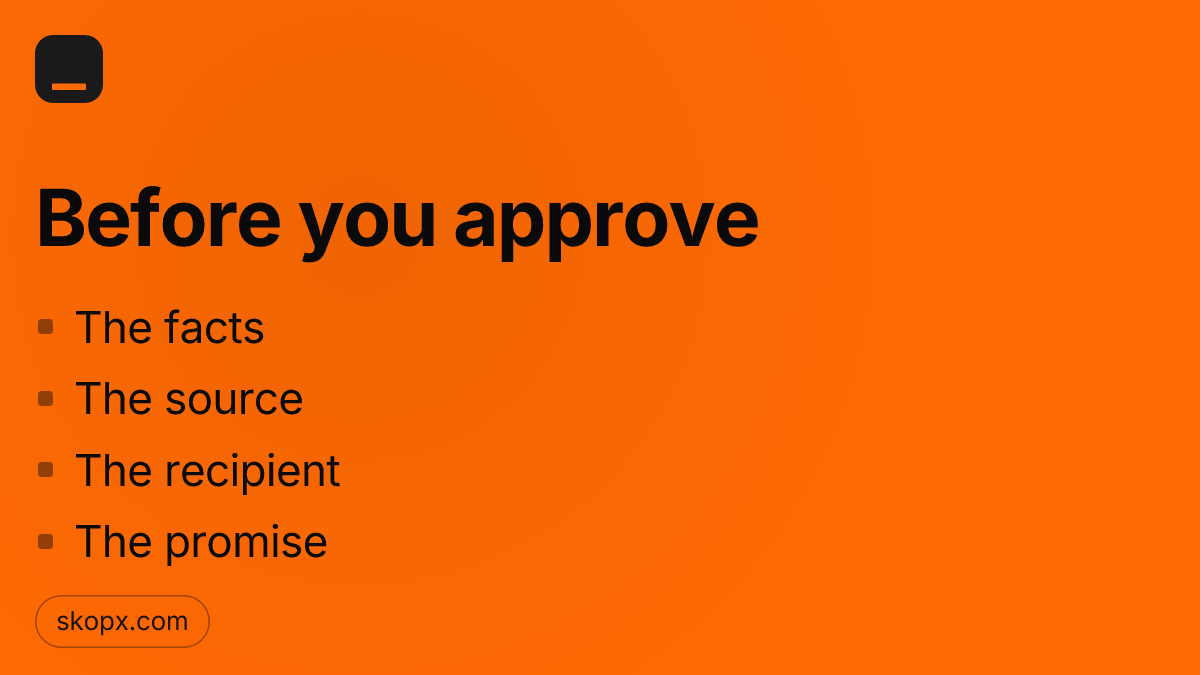
A draft for an unhappy customer is waiting in the thread, and you have a minute. Check the facts, the source, the recipient, and what it promises. Then approve.
Most AI tools are built around a simple exchange. You open a chat window, type a question, and get an answer. That model works well for research, drafting, and summarizing. It works poorly for the thing that quietly costs businesses the most: the problem that was visible in one system, unnoticed in another, and never raised by anyone because nobody happened to ask the right question that week. Consider a common case. A customer's annual contract is up for renewal in thirty days. Their billing record shows the invoice is still unpaid. Their support tickets have grown from one a month to five in the past two weeks, and the last two were marked urgent. Their product usage has dropped by a third since the spring. Each of these facts lives in a different tool. Your billing system does not know about the tickets. Your support desk does not know about usage. Your usage dashboard does not know the renewal date. Taken separately, none of them looks alarming. Taken together, they describe a customer who is about to leave. A chatbot can help with this only if someone thinks to ask about this specific customer. If nobody does, the warning signs sit there until the renewal lapses. Why the gaps matter more than the tools The value of connecting several tools is rarely in any single one of them. It is in the relationships between them, and those relationships are the part that goes unwatched. A renewal date tells you when something is due. A support ticket tells you someone is unhappy. A drop in usage tells you the product is losing its place in someone's week. The signal you need usually appears only when those three are read against each other. Skopx is built around that gap. Rather than waiting for a question, it monitors the connections between the tools you already use and surfaces combinations you would not otherwise see. In the example above, the system does not need you to ask about the customer. It notices that a renewal is approaching while the other indicators are moving the wrong way, and it brings that to your attention while there is still time to act. What this looks like in practice Suppose you set up a rule, described in plain language, that flags any account with a renewal in the next thirty days, an open invoice, and two or more urgent tickets in the last fourteen days. You do not write code for this. You describe what you care about, and Skopx keeps watch across the connected systems. When the rule fires, you get a short summary: the account, the renewal date, the open invoice, the ticket history, and the usage trend, pulled from each source. You can see at a glance why it matters. From there you decide what to do, whether that is a call from the account manager, a discount offer, or a review of the open tickets. The system's job is to make sure the signal reaches you. Deciding what to do stays with you. What it does not do It is worth being clear about the limits. Watching for gaps is only as good as the data behind it. If your billing system and support desk use different customer identifiers, the connection will be weak until those are reconciled. A rule that is too broad will flood you with noise, and one that is too narrow will miss the case you cared about. Setting these thresholds is a judgment call that belongs to the people who know the business. The approach also does not replace a conversation with a customer. It tells you where to look and when. The relationship is still yours to manage. Start with one account you already worry about If you want to see how this works, pick one customer whose renewal you have been uneasy about and trace the signals across your tools by hand. You will likely find the pattern was there all along, spread across systems that never talked to each other. That is the gap Skopx is designed to close. You can see how it works at skopx.com.
Most people who automate a recurring task start by opening a blank configuration screen. They pick triggers, map fields, write conditions, and test edge cases before anything useful runs. For a job that happens every Monday morning or every time a shipment is delayed, that setup work can take longer than the job itself, and many people give up before the first run. Skopx takes a different starting point. You describe the job once, in plain English, and the platform builds the agent, schedules it, and records every step it takes. The entry point is Create Agent at skopx.com/agents. What a plain-English description looks like A useful description names three things: what should happen, when it should happen, and what counts as done. For example: "Every weekday at 7 a.m., check yesterday's support tickets, group the ones still open for more than 48 hours by product line, and send the list to the support lead." That sentence contains a trigger (weekdays at 7 a.m.), a data source (support tickets), a condition (open more than 48 hours), a transformation (grouping by product line), and an output (a message to a named role). You do not need to know which fields the ticket system uses or which format the message should take. Skopx works out the structure from the description and shows you the agent it built so you can read it before it runs. The clearer the description, the less revision you will need. If you leave out the output destination, the agent has to guess where the result should go. If you leave out the schedule, it has nothing to run on. Writing these few parts down is the main discipline the process asks for, and it is the same discipline a good process document would require anyway. Scheduling without a separate setup Once the agent exists, the schedule is part of the same description. Skopx reads the timing from your sentence, so you do not need to switch to a separate scheduler. If you later want the job to run at 8 a.m. instead, you edit the sentence or the time field and the change applies to future runs. Earlier runs keep their original timing in the record. This matters for jobs that depend on each other. A report that needs yesterday's data should run after the data has landed, and a reminder should go out before the meeting it reminds people about. Keeping timing next to the description makes these dependencies easier to see than when they are spread across several tools. Every step is recorded The part of the process that most teams underestimate is the record. When a recurring job runs, the question that comes up later is almost never "did it run?" It is "what did it actually do on the Tuesday when the numbers looked wrong?" Skopx logs each step of each run: what data it read, what condition it applied, what it produced, and where it sent the result. That log lets you check an agent's work without rebuilding it. If the support lead says a ticket was missing from the list, you can open that run and see whether the ticket was excluded by the age condition, never read from the source, or read correctly and grouped under an unexpected product line. The fix then targets the actual cause, whether that is a clearer condition in the description or a change in the source. When to write the job down Not every task deserves an agent. A one-off question is better answered directly. The best candidates are tasks you repeat on a regular rhythm, that follow a consistent set of rules, and that someone currently remembers to do by hand. Morning checks, weekly summaries, handoff notes, and threshold alerts usually fit. Start with one job. Describe it, read the agent Skopx builds, let it run through a few cycles, and check the records. Once you trust how it reports, add the next one. This pace keeps the work manageable and gives you a concrete reason to trust the system before you depend on it. To try it, open Create Agent at skopx.com/agents and write the first recurring job you would like to stop doing by hand.

Most of the conversation about AI agents is about speed: how quickly they respond, how many tasks they can run at once, how little they need from you. Those are useful qualities. But there is a quieter feature that matters just as much, and it is the one people tend to discover only after something goes wrong: knowing when to stop. An agent that acts on every input without pause is not necessarily more capable. It is simply faster at making mistakes. A reply sent to the wrong customer, a message that promises a refund nobody approved, a tone that misreads an upset client, these cost real trust, and they are hard to undo once they leave your outbox. The question for anyone deploying an agent is not only what it can do, but where its authority ends. What "parking" a send actually means In Skopx, you can configure an agent so that it parks every outgoing message. The agent does the work: it reads the incoming request, pulls the relevant context from your connected tools, and drafts the reply. Then it holds the draft instead of sending it. Nothing leaves until you have read it, edited it if needed, and approved it. This is a deliberate design choice rather than a limitation. The agent still saves you the time that matters most, which is the search, the lookup, and the first draft. What it withholds is the final act of sending, which is the one step where a single error reaches another person directly. Who this suits Parked sends are useful in a few common situations. A support lead who is still calibrating how an agent sounds might park everything for the first few weeks, then gradually relax the rule for categories that have proven reliable. A finance or operations team handling payment questions may keep parking permanently, because a wrong figure in an email carries consequences a typo in a chat does not. A new hire learning the company's voice can use the drafts as a reference, comparing what the agent wrote against what they would have written. The approach also helps when the stakes are uneven across message types. Routine acknowledgments can flow freely while anything touching pricing, contracts, or complaints waits for a human glance. You decide the line, and the agent respects it. Reading a draft well Parking only helps if the review is real. A few habits make it effective. Check the facts the draft cites, since an agent pulling from a database is only as accurate as the record it reads. Confirm that the commitments in the reply are ones you are actually willing to make. Read the tone against the relationship: a message to a long-standing client may need different warmth than one to a first-time inquiry. And when you edit a draft, notice what you changed, because those edits are the clearest signal of where the agent's defaults need adjusting. Over time, the review itself becomes a training loop. Patterns in your corrections show what to tighten, and you can carry those lessons into how you configure the agent. The point of restraint There is a tendency to measure AI tools by how much they do without us. A better measure may be how well they keep us in control of the things that carry our name. An agent that drafts diligently and waits for your approval is not less useful for pausing. It is useful in a different way: it does the labor and leaves the judgment where it belongs. Setting an agent to park every send is a small configuration choice with a large effect. It turns automation into a collaborator that proposes and you dispose. In a workplace where a single sent message can shape a customer relationship for years, that pause is often the most valuable thing the agent does.

Most people who try to make AI useful in their work hit the same wall early. They connect a tool for one purpose, then discover that the connection does not carry over. The chat window can read the calendar, but the scheduled briefing cannot. The agent can pull a report, but the workflow you built last week needs its own separate setup. Every new feature asks for the same credentials again, and every one of them has to be configured as if the others did not exist. Skopx is built around a different assumption: a tool should be connected once, and every part of the product should be able to use it. When you link your CRM, your project tracker, your spreadsheet store, or your billing system, that link becomes available to chat, to agents, to workflows, and to briefings alike. You do not repeat the setup for each feature. You do not maintain three slightly different copies of the same integration that drift apart over time. What a single connection actually changes Consider a small operations team that tracks customer support tickets in one system and shipping status in another. Before connecting anything, the questions they care about are scattered. Someone wants to know which orders are delayed and which of those customers have open tickets. Answering that by hand means switching tabs, copying identifiers, and hoping nothing was missed. Once both tools are connected to Skopx, that question becomes a single request in chat. The same connection then lets a workflow flag the overlap every morning, and a briefing summarize it before the team starts work. The team configured the sources once. The features did the rest. This matters because the cost of AI in a workplace is rarely the model itself. It is the accumulated effort of setup, re-authentication, field mapping, and troubleshooting when something that worked in one place quietly breaks in another. A connection that serves everything removes that repeated labor and makes it much easier to notice when something has actually gone wrong. Why shared access is safer, not just simpler Sharing a connection across features can sound like a risk. If one part of the product has access, does every part? The better way to think about it is that Skopx keeps one authoritative record of what each tool is allowed to do. A connection is granted at the level of the tool, and the features that use it operate within that grant. When you revoke or change access in one place, the change reaches everything that depends on it, rather than leaving an old credential alive in a forgotten workflow. That centralization is also a practical audit benefit. Instead of hunting through separate configurations to learn which systems an agent can touch, you look at one list of connections and see how each is used. Choosing what to connect A common question is how many tools to connect at the start. The answer depends on the work, but a useful approach is to begin with the two or three systems that hold the data you ask about most often. Connect those, use chat to explore what questions you can answer, and then add the next source when you find a question that needs it. Each new connection extends every feature at once, so the value compounds rather than fragmenting. Skopx offers nearly 1,000 integrations, so the more practical limit is usually not availability but clarity about which sources matter for your decisions. You can browse the full list at skopx.com/integrations and see which tools are supported before deciding where to start. The point of connecting once The goal is not a longer list of connected apps. It is a workspace where the information you already have is available to every way you work with it, without rebuilding the path to that information each time you add a feature. Connect once, and chat, agents, workflows, and briefings can all draw from the same source of truth.

Most AI tools in a business are reactive. They wait. A report sits in a folder until someone opens it, a dashboard shows last Tuesday's numbers until someone refreshes it, and an assistant answers the question you typed but has no idea that the question you should have asked was about the inventory count that changed at 2 a.m. The gap between when something changes and when a person notices it is where most operational problems quietly grow. Skopx was built around that gap. The core idea is simple to describe and more involved to deliver: the system watches the tools your team already uses while you are away, notices what changed, and gives you one briefing each morning that tells you what matters. This article looks at one piece of that process that rarely gets discussed, which is how a briefing decides what counts as a change worth mentioning in the first place. Why raw change is the wrong signal A naive monitoring setup treats every difference as news. A CRM field gets updated, a file is renamed, a sync job writes three hundred rows with a new timestamp. If you alert on all of it, you have built a notification machine that teaches people to ignore it within a week. The overnight changes that matter are usually buried under the ones that do not. The first job, then, is filtering. Skopx compares the current state of a connected source against its state the last time it was checked, and it classifies the difference. A new timestamp on an unchanged record is noise. A value that crossed a threshold you care about is signal. A record that disappeared entirely is a different kind of signal again. Separating these categories is what keeps the morning briefing short enough to read. Watching the answer, not only the data One detail that shapes how the system works is what it actually measures. Skopx does not try to hold a copy of every record in your sources and diff all of them. It tracks what a given query returns: the set of rows, figures, or results that a saved question produces. If the question is "which open orders are older than seven days," the thing being watched is the answer to that question. When the answer changes, the change is meaningful in a way that a random edit to an underlying record may not be. This matters for two reasons. It keeps the monitoring focused on the questions your team has already decided are important, so the system is not guessing at priorities. And it keeps the comparison cheap and predictable, because the result set is usually far smaller than the full underlying data. What a useful briefing looks like The morning briefing is deliberately plain. It lists the results that moved, says what moved and by how much, and links back to the underlying question so that anyone who wants to dig in can do so directly. It does not try to explain the business to you or pretend to know the cause of every change. A briefing that says "the count of unshipped orders rose from 41 to 58 overnight, and nine of the new ones came from one customer" gives a person something to act on. A briefing that says "your operations look concerning" does not. Teams tend to find that the value compounds. The first week, the briefing mostly confirms that nothing is on fire. Over a month, it starts surfacing the slow drifts that nobody would have caught by looking at a dashboard once a day: a supplier's lead time creeping up, a region's returns quietly doubling, a field that stopped being filled in after a form changed. Keeping the human in charge It is worth being clear about what this does not do. Skopx does not act on the changes it finds. It reports them, and the decision about what to do stays with the people who own the work. That boundary is intentional. An automated system that notices a problem is useful; one that silently fixes things overnight is harder to trust, harder to audit, and harder to undo when its assumptions turn out to be wrong. If you want to see how this works against your own tools, the practical starting point is small: pick one question your team asks every week, save it as something to watch, and read the briefing for a few mornings. The aim is not to catch everything. It is to stop finding out about the things that moved only after they had already cost you something.

Ask most AI app builders to make an internal tool for your team and you will get a familiar result. You describe what you need, the system reads your table schema, sees columns named customer_id, status, created_at, and region, and starts drawing. A table here, a filter dropdown there, a status badge in a colored pill. The screen looks finished in seconds. The trouble is that it was designed from the names of the columns, not from what the data actually contains. Column names are a poor guide to the shape of real information. A field called status might hold five values in one database and forty-two in another, with three of them written in inconsistent capitalization and a handful left blank for records created before a migration. A field called amount might be stored in cents in one table and dollars in another. A date column might be populated for ninety-nine percent of rows and empty for the rest, and those empty rows might be the ones your team cares most about. A builder that never looks at these facts will produce a screen that looks correct and behaves wrongly. Skopx approaches the problem in the opposite order. Before it decides how a screen should look, it runs the query your app depends on and measures what comes back. It counts the rows, checks the distinct values in categorical fields, looks at the range and nulls in numeric and date fields, and notes the relationships that the results actually reveal. The layout then follows from that evidence. If a status field has eight meaningful values, it gets a control suited to eight values. If a date is mostly empty, the interface does not pretend it is a reliable sort key. If a list routinely returns three thousand rows, the design accounts for that volume rather than assuming a handful. This sounds like a small change in sequence, but it alters the outcome in practical ways. Consider a team tracking support tickets. A schema-first builder sees a priority column and creates a dropdown with the values it guesses might exist, perhaps low, medium, and high. A results-first approach runs the query, discovers that the column actually contains urgent, P1, P2, and several spellings of the same word, and builds a control that reflects reality. The team stops seeing a filter that silently returns nothing for the category they use most. It also changes how you think about verification. When the screen is built from measured results, you can point to the query and the numbers behind each design decision. You can ask why a chart uses a particular grouping and get an answer rooted in the data, not in a template. That makes the app easier to trust and easier to maintain when the underlying data changes, because you can rerun the measurement and see what shifted. Results-first building does not replace human judgment about what the team needs. You still decide which questions the app should answer, who uses it, and what actions it should enable. What changes is the foundation. The layout is grounded in what your data is, rather than what its labels suggest it might be. If your internal tools have ever looked right and still produced confusing numbers, the cause is often upstream of the interface. The screen was drawn before anyone checked what it would display. To see how Skopx builds internal apps from measured query results, visit skopx.com/internal-apps.

Rate an answer in Skopx and Helper keeps the habit behind it. Good ones stay, weak ones fade, so tomorrow's answer starts closer to what you wanted. See skopx.com/helper.
Every weekday, someone on your team opens the same three places before they can start real work. They check the inbox for customer messages that need a response. They check the payments dashboard for failed charges, refunds, or disputes. They check the issue tracker for anything that broke overnight. Then, if something looks wrong, they post in the ops channel and wait for someone to notice. That routine is valuable, and it is also exactly the kind of work that gets skipped on a busy Tuesday or done late on a Friday. It is a good candidate for an agent, and the setup is simpler than most people expect. The sentence is the specification With Skopx, the instruction for a recurring check can be a single plain sentence: "Every weekday at 8, check my inbox, payments, and issues, alert #ops if anything needs attention." You do not write code, build a pipeline, or map out each API call. You describe the outcome you want, the schedule it runs on, and the place the result should go. That sentence contains four decisions. The trigger is the weekday schedule at 8. The sources are the inbox, payments, and issues. The condition is "anything needs attention," which the agent interprets against the data it finds. The action is posting to #ops. Once those four things are clear, the agent has what it needs to run without you. What "needs attention" actually means The hardest part of any monitoring task is the threshold. An alert that fires on every minor event trains people to ignore alerts. An alert that never fires is useless. When you describe the condition in plain language, you can be specific about what matters to you. A failed payment above a certain amount, a support email that has gone unanswered for a day, or a new issue tagged as blocking can all be named directly in the request. You can refine this over time. If the first few reports include things nobody cares about, you tell the agent to drop them. If it misses something important, you add it. Because the instruction is ordinary language, the adjustments are as easy to make as the original request. Where the output goes A check that only the agent sees is not much help. Posting to a channel your team already reads puts the result where decisions get made. The #ops channel becomes the morning briefing. People who are on call see the flagged items first, and people who are not can skip the channel entirely when the report says nothing needs attention. This also keeps a record. Each day's report sits in the channel history, so when someone asks whether a payment issue was caught last Wednesday, the answer is already written down. Trying it The workflow is available at skopx.com/workflows. Start with one check you already perform by hand. Write the sentence the way you would explain the task to a new colleague, name the channel, and let it run for a week. Compare what it flagged against what you would have caught yourself. Most teams find the gaps are small and the time saved is real. The point is not to remove people from the loop. It is to make sure the loop starts on time, every weekday, without anyone having to remember it.

It's 9 AM on a Tuesday. Around the same conference table, seven people are about to learn they're all looking at the same problem. Finance is staring at an invoice that arrived without warning. Customer Success is scrolling through emails from an account that stopped responding three weeks ago. Sales is reviewing a deal that's been stuck in the same stage for six months. Operations is fielding a request they've never seen before. Marketing is confused about why a campaign landed poorly. Product is puzzled by unexpected churn in a segment. And the CEO is wondering why nobody connected these dots first. The invoice nobody chased Finance receives a bill for services rendered. There's no purchase order attached. No one in the company seems to remember authorizing it. The amount doesn't match expectations. Finance can pay it or reject it, but without context, they're making a guess. What they don't know yet is that Sales agreed to custom work six months ago and forgot to file the paperwork. Or that Customer Success negotiated an extension verbally and never documented it. Finance becomes a blocker instead of a partner because the information never reached them. The account that went quiet Customer Success has a problem that looks simple on the surface. An account manager's notes say the customer "needed space to evaluate." What actually happened is more complicated. The customer had a support ticket that took fourteen days to resolve. They never complained about it directly, but they stopped opening the product. Sales made a promise about a feature that Product decided not to prioritize. The customer's industry faced a downturn, but nobody on the team knew that. Customer Success can try to re-engage, but without understanding the full picture, they're starting from a disadvantage. These situations repeat across every company of a certain size. The problem isn't individual competence. The problem is information fragmentation. Why silos cost time and money Each department maintains its own version of the truth. Sales tracks opportunities in one system. Finance tracks commitments in another. Customer Success tracks satisfaction in a third. Product tracks usage in a fourth. When something goes wrong, each team discovers it independently. Time gets spent on detective work instead of problem-solving. Relationships suffer when someone learns they weren't told something important. Opportunities get missed because the context for a decision lived in someone else's inbox. The real cost isn't the time spent in meetings explaining what happened. It's the compounding effect. A missed renewal becomes a churn statistic becomes a product decision becomes a hiring freeze. A billing mistake becomes a support burden becomes a negative reference. A miscommunication becomes a process gap becomes a process audit. What AI can actually help with This is where the current wave of AI tools enters the picture, but probably not in the way most vendors describe it. The real opportunity isn't having AI generate more insights. It's having AI ensure that critical information flows to the people who need it, in the context they need it. Imagine an AI system that watches a support ticket. When resolution time exceeds a threshold, it flags the account manager. When a customer reduces feature usage by twenty percent, it notifies the success team and Product simultaneously. When Sales creates an opportunity with custom terms, it automatically routes a summary to Finance with a check-in date. When an invoice arrives unmatched to a contract, it asks the right people whether that's normal or a problem. None of this requires AI to predict the future or generate strategic insights. It requires AI to do the work of a highly organized administrative assistant across every function. It requires AI to normalize data formats. It requires AI to understand that "custom feature" in a deal memo might mean "implementation work that finance needs to account for" and "customer expectation that Product should know about." Building better mornings The goal isn't eliminating departments or creating new reporting lines. The goal is making sure that seven people walking into a room on Tuesday morning have already seen what the others are working on. The goal is Finance knowing about the custom project before the invoice arrives. The goal is Customer Success understanding market conditions that affect their account. The goal is everyone having access to the same version of why a situation exists. This is the problem Skopx addresses. Not through additional reporting or dashboards that add more context to absorb. But through systems that surface what matters, when it matters, to the people who can actually do something about it. The morning each department dreads becomes a morning where problems are already being solved across teams. Visit skopx.com to see how this works in practice.

There's a fundamental problem with most AI tools: they're forgetful. You correct a mistake, the AI learns for that conversation, and by next week you're explaining the same thing again. It's like working with someone who has no institutional memory. For teams relying on AI to boost productivity, this becomes a constant tax on your time. Helper, Skopx's new AI assistant, works differently. It's built to remember. More importantly, it's designed to learn what you actually approve of, not just what you type. The Memory Problem With Standard AI When you use ChatGPT, Claude, or most enterprise AI tools, each conversation starts from scratch. You might spend time explaining your brand voice, your technical preferences, or your workflow requirements. The AI responds well within that session. But once you close the tab or start a new thread, that context vanishes. This isn't just inconvenient. It's inefficient. You're essentially onboarding the same AI repeatedly. For professionals who work with AI daily, this adds up to hours of lost time every week. Some AI platforms offer conversation history, which helps you find previous exchanges. But history isn't the same as learning. The AI still doesn't adjust its behavior based on what you've explicitly approved or rejected. How Helper Keeps Score Helper changes this by maintaining a persistent, workspace-based record of your preferences. When you interact with Helper, the system notes three things: what you asked, what it suggested, and what you actually approved. Over time, this creates a feedback profile. Helper learns your standards. If you consistently edit its technical explanations to be more concise, it adjusts. If you approve certain formatting for reports but reject others, it remembers. If you correct terminology specific to your industry, that correction sticks around. The key difference: this isn't about the AI guessing your preferences from patterns in the data. It's about explicit approval. You rate what works. Helper builds its behavior around what you've directly validated. Why Approval Matters More Than Correction There's an important distinction here. Correcting something tells an AI what was wrong. But approval tells it what's right. That's a more useful signal. Think about how you might correct an AI's writing. You could say "this paragraph is unclear." The AI might interpret that several ways. Does it need more detail? Less detail? Different word choice? Different structure? Without guidance, the AI has to guess. But if you can flag a rewrite and rate it as approved, the AI has concrete data: this version worked. Here's what worked. Do more of this. For team environments, this becomes even more valuable. Different team members might have slightly different preferences. Helper learns each person's standards separately. When Sarah approves a certain analytical approach for market reports, that preference stays with Sarah's profile. When Marcus prefers bullet points over prose, that's tracked in Marcus's settings. Workspace-Based Privacy and Control Many AI tools train on your data to improve their base models. You submit a request, and somewhere in the background, that information is feeding into the system's general learning. This raises concerns for proprietary information, client work, and competitive data. Helper operates differently. It stays in your workspace. The learning that happens is local to your organization, not distributed into a broader model. Your corrections, your approved outputs, and your feedback profiles remain within your boundaries. This matters for teams handling sensitive information. Your industry-specific terminology, your client preferences, and your approval patterns are yours. They're not being used to train a public model or shared across customer bases. Building Better AI Habits There's a secondary benefit to this approach. When you know your AI is learning from your explicit approvals, you tend to be more intentional about the feedback you give. You're not just correcting in the moment. You're training a system that will carry that correction forward. It creates a different relationship with the tool. Instead of AI being a stateless service you query, it becomes something closer to a team member who actually internalizes your feedback. Over a month or two, Helper becomes genuinely more useful to you specifically. Not because it's been upgraded by the vendor. But because it knows your standards, remembers your corrections, and builds outputs around what you've explicitly approved. This is how AI assistance should work in practice. Not forgetful. Not starting over each week. But actually learning what matters to you, and building on that foundation.