Automated Business Reporting Examples for Smarter Decisions

Automated business reporting is the practice of using software systems to collect, process, and distribute business reports without manual effort, replacing spreadsheet exports and copy-paste workflows with scheduled, accurate, and repeatable data pipelines. Tools like Power BI, HubSpot Reporting, n8n, and Farseer now power these pipelines across marketing, finance, sales, and operations. The efficiency gains are real: reporting automation cuts routine reporting time by up to 75%, and some teams reclaim more than 30 hours monthly. For business professionals who need faster decisions and less manual overhead, understanding the best examples of automated business reporting is the starting point.
How automated reporting pipelines are built
A modern automated reporting pipeline follows four distinct stages: data collection, normalization, insight generation, and delivery. Each stage depends on the one before it, so a failure at any point breaks the entire chain.
Stage 1: Data collection pulls raw data from source systems through APIs, database queries, or ETL (extract, transform, load) tools. Stage 2: Normalization standardizes formats, resolves naming conflicts, and merges fragmented sources into a clean, unified layer. A clean, standardized data layer is the single most important prerequisite before any automation logic runs. Stage 3: Insight generation applies calculations, comparisons, and increasingly, large language models (LLMs) like GPT-4 or Claude to produce human-readable summaries. Stage 4: Delivery pushes finished reports to Slack channels, email inboxes, or live dashboards.

Setup time ranges from two hours for pre-built templates to several weeks for enterprise deployments using SQL, Python, and custom API integrations. Maintenance is ongoing. Automated logging and alerting at each ETL stage prevents broken or empty reports from reaching stakeholders, which is a failure mode most teams discover only after it embarrasses them.
Pro Tip: Define data contracts between your source systems and your pipeline before you build anything. A data contract specifies what fields, formats, and update frequencies each source must deliver. Without one, a single schema change in your CRM can silently corrupt every downstream report.
10 examples of automated business reporting workflows
1. Weekly marketing performance summary
An n8n workflow pulls data from Google Analytics, Meta Ads, and LinkedIn Campaign Manager on a fixed schedule, normalizes the metrics into a single schema, and delivers a formatted PDF or Slack message to the marketing team every Monday morning. Analysts save 10 to 20 hours weekly by eliminating the manual export and formatting work this previously required. The report includes channel-level spend, click-through rates, and conversion summaries in one view.
2. Real-time financial reporting dashboard
Farseer connects directly to ERP and accounting systems to produce live financial dashboards with variance analysis embedded in the view. Finance teams compare actuals to budgets without exporting data to spreadsheets. The dashboard updates continuously, so a mid-month budget deviation appears within minutes rather than at month-end close.
3. Sales pipeline status report
A CRM-connected workflow queries deal stages, close probabilities, and rep activity daily, then generates a pipeline health summary delivered to sales leadership via email or Slack. Insights delivered within existing workflows like Slack reduce the friction of chasing down status updates in separate tools. Sales managers get a consistent view of pipeline velocity without pulling it manually.
4. CRM and customer analytics report
HubSpot Reporting automates contact lifecycle tracking, deal progression, and customer health scores into scheduled reports distributed to account managers. This type of automated reporting solution connects CRM data directly to decision-makers without requiring a data analyst to run queries. Customer churn signals and upsell opportunities surface automatically rather than being buried in raw CRM exports.
5. Employee performance and HR metrics
HR platforms like Workday or BambooHR can feed automated pipelines that generate weekly or monthly summaries of headcount, attrition, time-to-hire, and performance review completion rates. These reports go directly to HR business partners and department heads on a fixed schedule. The result is consistent visibility into workforce health without manual spreadsheet assembly.
6. Inventory and supply chain report
Warehouse management systems trigger automated inventory reports when stock levels cross defined thresholds. The report includes current stock counts, reorder points, and supplier lead times, delivered to procurement teams before a shortage occurs. This is one of the clearest examples of automated business reporting preventing operational disruption rather than just describing it after the fact.
7. Ad spend and ROI dashboard
Supermetrics or a similar connector aggregates paid media data from Google Ads, Meta Ads, and TikTok Ads into a Looker Studio or Power BI dashboard that refreshes daily. Marketing teams see cost per acquisition, return on ad spend, and budget pacing in one place without logging into each platform separately. The dashboard eliminates the manual reconciliation that previously consumed hours each week.
8. Anomaly detection alert report
Statistical methods like Z-score and IQR analysis run continuously against financial and operational data streams. When a metric deviates beyond a defined threshold, an automated anomaly alert fires to the relevant team via Slack or email. This turns reporting from a backward-looking activity into a proactive early-warning system.
9. Automated scheduled stakeholder distribution
Enterprise reporting tools like Power BI and Tableau Server support scheduled report subscriptions that push PDFs or dashboard links to defined recipient lists at set times. Automation standardizes distribution so every stakeholder receives the same data at the same time, eliminating version conflicts and stale attachments. This is particularly valuable for board-level and executive reporting cycles.
10. AI narrative generation in reports
LLMs like GPT-4 and Claude are now embedded in reporting pipelines to generate plain-language summaries of data trends, replacing the manual write-up that analysts previously produced. A pipeline pulls the week's metrics, passes them to an LLM with a structured prompt, and appends a two-paragraph narrative to the report before delivery. Stakeholders receive context alongside numbers, which increases engagement and reduces follow-up questions.
Pro Tip: Start automating your highest-frequency reports first. A report that runs weekly generates 52 manual efforts per year. Automating it delivers 52x the return on your setup investment compared to a report that runs once per quarter.
Comparing popular automated reporting tools
Automated reporting tools vary significantly in their focus, technical requirements, and ideal use cases. The table below maps the most widely used platforms to their strengths.
| Tool | Best for | Technical requirement | Standout feature |
|---|---|---|---|
| Power BI | Large datasets in Microsoft environments | Moderate (DAX, Power Query) | Deep integration with Microsoft 365 |
| HubSpot Reporting | CRM-centric marketing and sales reports | Low (no-code) | Native CRM data without connectors |
| n8n | Custom, self-hosted workflow automation | High (JSON, API knowledge) | Open-source, fully customizable |
| Farseer | Live financial reporting and variance analysis | Moderate | Real-time budget vs. actual tracking |
| Looker Studio | Cost-effective marketing visualization | Low to moderate | Free tier with Supermetrics connectors |
| Databox | KPI-focused executive dashboards | Low | Pre-built KPI templates |
The trade-offs are real. n8n gives you maximum flexibility but requires a developer to maintain it. HubSpot Reporting is fast to deploy but only works well if your data lives in HubSpot. Power BI scales to enterprise data volumes but demands investment in data modeling skills. Looker Studio is the right choice for marketing teams that need visual dashboards without a large budget. Choosing the wrong tool for your data environment is the most common reason reporting automation projects stall after the initial build.
How anomaly detection and AI narratives upgrade reports
Basic automation delivers data on schedule. Advanced automation tells you when something is wrong and explains what it means. These two capabilities, anomaly detection and AI narrative generation, are what separate genuinely useful reporting from automated noise.
Anomaly detection uses statistical methods to identify when a metric falls outside its expected range. A revenue figure that drops two standard deviations below the weekly average triggers an alert before the end-of-week report would have surfaced it. Z-score and IQR analytics alert the relevant team proactively, compressing the time between a problem occurring and a team responding to it.
AI narrative generation addresses a different problem. Dashboards show numbers. LLMs explain them. When GPT-4 or Claude is embedded in a reporting pipeline, the system generates a written summary of what changed, why it likely changed, and what the data suggests for next steps. This reduces manual report writing and speeds up communication across teams that do not have time to interpret raw charts.
The most valuable automated reporting systems minimize user friction by delivering insights directly into stakeholder workflows such as Slack or email, rather than requiring users to log into a separate tool to find them.
Together, these features shift reporting from a documentation function to a decision-support function. Teams that receive a Slack message saying "Revenue is down 18% week-over-week, driven by a drop in enterprise deal closures" act faster than teams that receive a dashboard link and have to find the insight themselves.
Key takeaways
Automated business reporting delivers the most value when it combines clean data pipelines, proactive anomaly detection, and AI-generated narratives delivered directly into the tools your team already uses.
| Point | Details |
|---|---|
| Pipeline architecture matters | Four stages: data collection, normalization, insight generation, and delivery must all function reliably. |
| Start with high-frequency reports | Weekly reports yield 52x the return on automation investment compared to quarterly ones. |
| Tool selection drives outcomes | Match the tool to your data environment: n8n for flexibility, HubSpot for CRM, Power BI for scale. |
| Anomaly detection adds proactive value | Z-score and IQR methods surface problems before scheduled reports would catch them. |
| AI narratives increase report engagement | LLM-generated summaries reduce follow-up questions and help non-technical stakeholders act on data. |
What I've learned from building reporting automation at scale
The most common mistake I see is automating a broken process. If your sales team argues about pipeline definitions every week, automating the pipeline report does not fix the disagreement. It just delivers the wrong numbers faster. Before you build anything, get alignment on what each metric means and where it comes from. That conversation is harder than the technical build, and skipping it is why most reporting automation projects lose credibility within three months.
The second thing I have learned is that automation frees analysts from mechanical work, but only if leadership actually reassigns that time to interpretation. I have seen teams automate 15 hours of weekly reporting work and then fill those hours with more manual reporting requests. The efficiency gain evaporates. The goal is to use that recovered time for the analysis that actually changes decisions.
Finally, resist the urge to build one massive reporting system that covers everything. Start with the two or three reports that run most frequently and cause the most pain when they are late or wrong. Get those right, build trust in the output, and expand from there. Complexity added too early is the fastest way to create a system nobody trusts and eventually nobody uses.
Skopx
See automated reporting in action with Skopx
Skopx connects to nearly 1,000 data integrations and puts an AI-driven interface on top of all of them, so your team can query data, generate reports, and receive anomaly alerts without switching between tools.
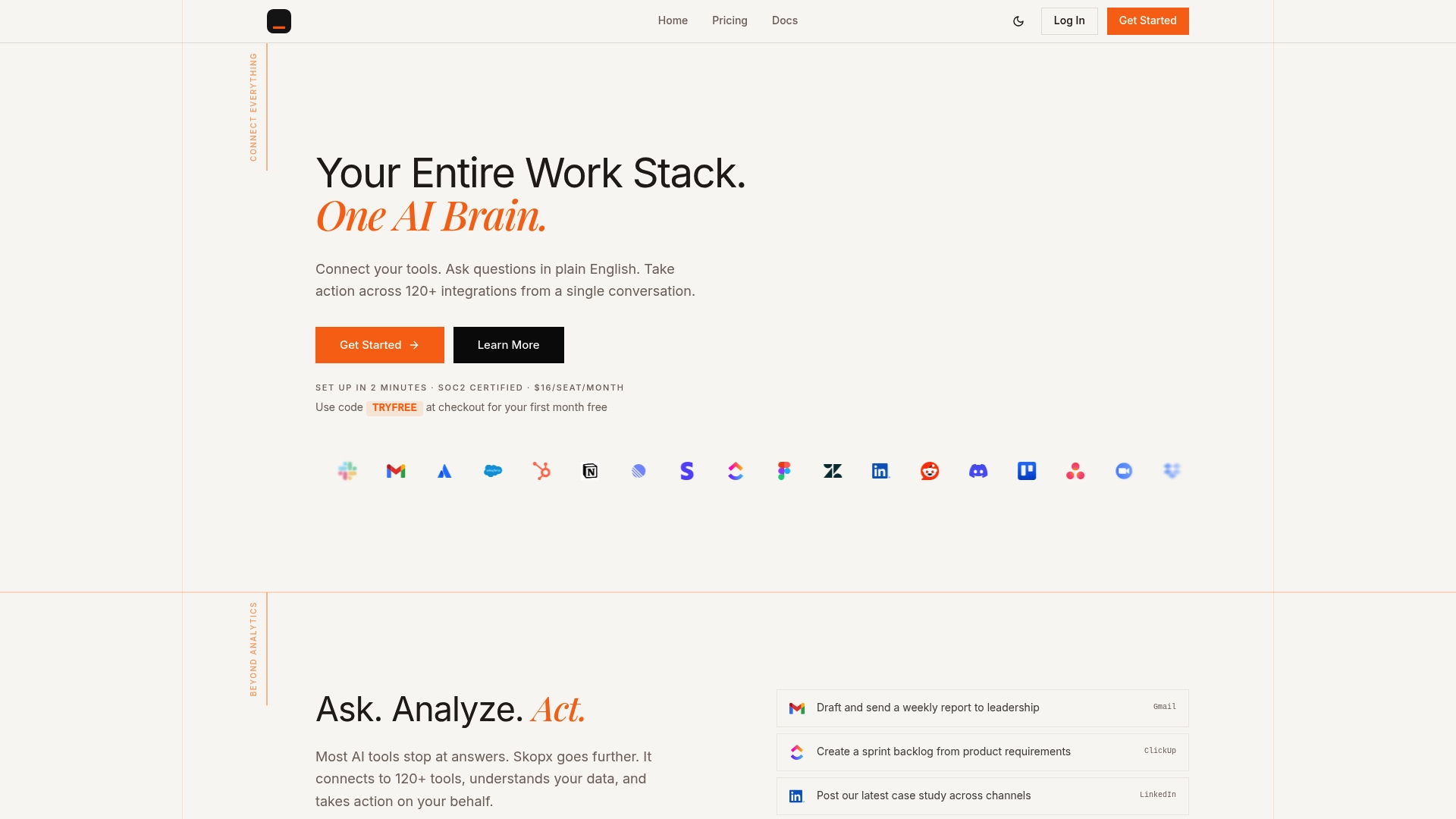
The Skopx report automation platform handles the full pipeline: data ingestion, AI narrative generation, anomaly detection, and multi-channel delivery to Slack, email, or dashboards. You do not need a data engineering team to get started. If you want to go further, Skopx's AI data analytics layer lets your team ask questions in plain language and get answers from your live data in seconds. Explore Skopx to turn your reporting from a weekly chore into a continuous decision-support system.
FAQ
What is automated business reporting?
Automated business reporting is the use of software to collect, process, and distribute business reports without manual effort. It replaces spreadsheet exports and copy-paste workflows with scheduled, accurate data pipelines.
How much time does reporting automation save?
Reporting automation reduces routine reporting time by up to 75%, with analysts saving 10 to 20 hours weekly by eliminating manual data tasks.
Which tools are best for automated reporting?
Power BI, HubSpot Reporting, n8n, Farseer, and Looker Studio are among the most widely used tools, each suited to different data environments and reporting needs.
What is the difference between BI and reporting automation?
Business intelligence focuses on data modeling and visualization, while reporting automation targets the repetitive task of generating and distributing reports on a schedule. The two are related but serve different functions.
How does anomaly detection work in automated reports?
Anomaly detection uses statistical methods like Z-score and IQR analysis to identify when a metric falls outside its expected range, then fires an alert to the relevant team before the next scheduled report would surface the issue.
Recommended
Skopx Team
The Skopx engineering and product team